
Photo: M. Lewinsky/Creative Commons Attribution 2.0
Home › When it’s paid
When it’s paid
When Starlink Pays the $100 Referral Credit
The first month is paid in full. The credit lands on the second monthly invoice, after two full billing cycles, as service credit by default or as cash where Starlink offers it.
Starlink’s pages last read .
The short answer
Not at checkout. On invoice two.
Starlink says the reward is applied on the second monthly subscription invoice[T], and that it is issued as soon as 60 days after activation, depending on country, account settings and an identity check[H]. Before that, the first month is paid in full at the normal price; nothing comes off the checkout total for the referral[H]. The person who shared the link is on the same clock: the person who orders and the person whose link they used get the same reward[T].
That is the whole timing rule. The rest of this page walks through it day by day, shows where the two Starlink pages word it differently, explains credit versus cash, and lists what can delay or cancel the $100. If you are still checking whether you qualify at all, read who qualifies first.
From order day to the credit, in order
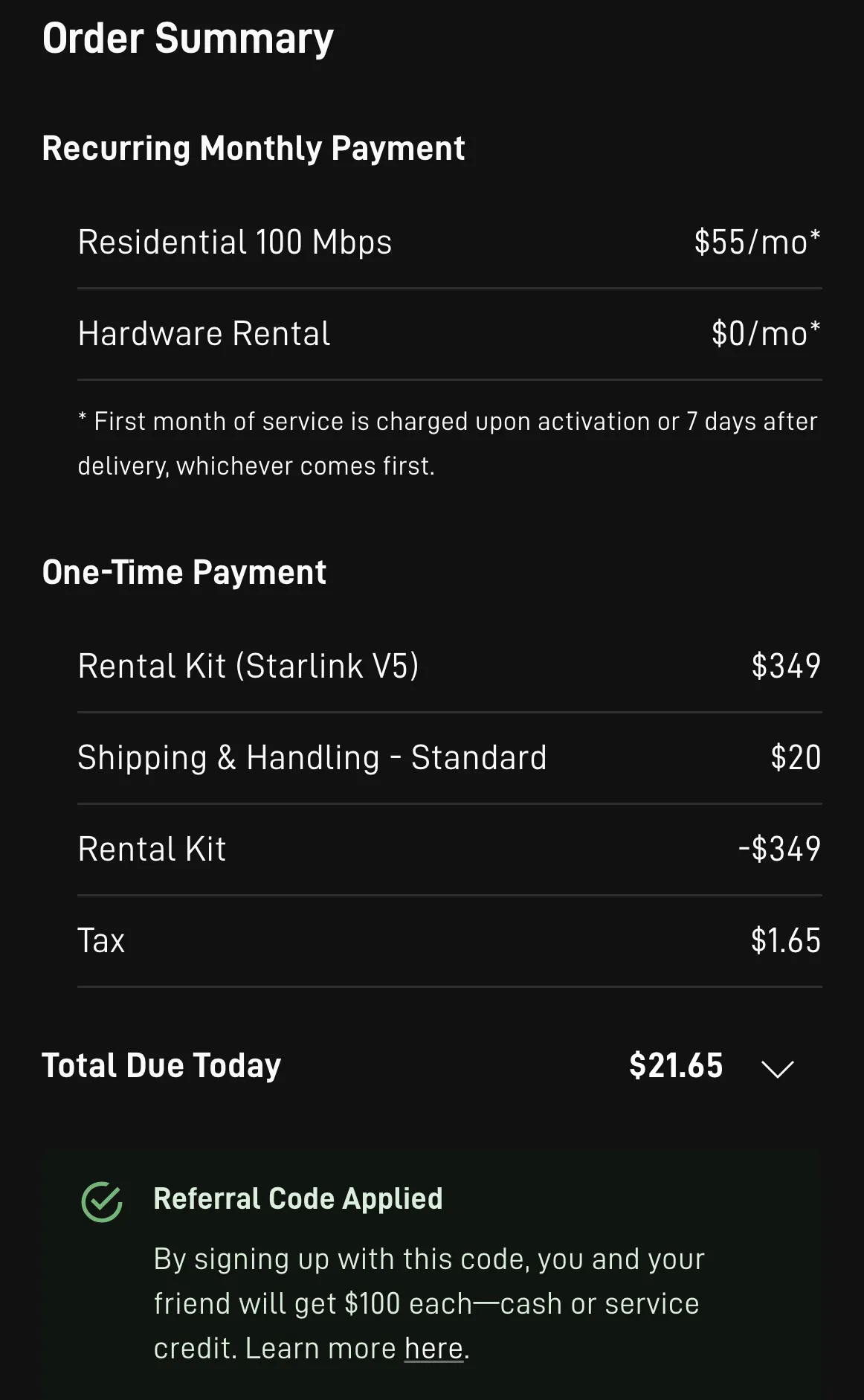
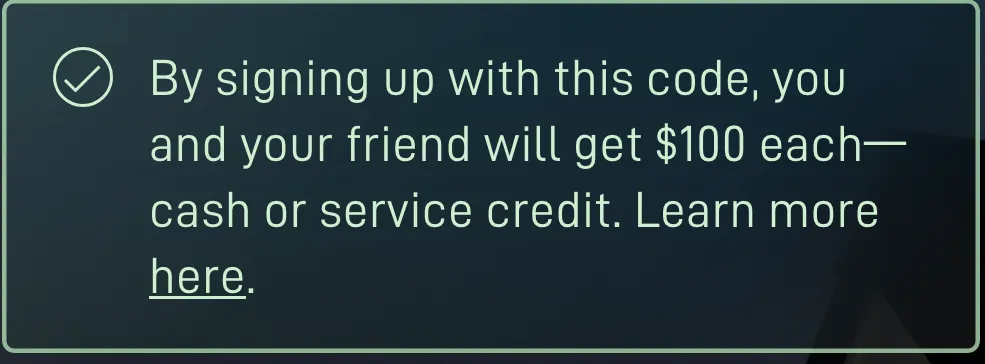
- Order day: you pay the full amount dueThe order summary shows the kit, shipping, tax and any surcharge. Starlink.com shows Residential plans and your price only after a service address is entered, and the price depends on the address[S], and a Standard kit costs $349 to buy and a Mini $149; where an address is offered a rental instead, the national list showed the kit at $0, a $99 installation add-on, or $199 for a rental with professional installation[S]. In busy areas a one-time demand surcharge can be added, and it appears on the order summary[H]. The green “Referral Code Applied” panel on that screen is a note that the referral was recorded, not a line that lowers the total.
- Billing startsStarlink’s terms of service: service billing starts at activation, 7 days after delivery, or 30 days after shipping when no delivery date exists, whichever comes first[ToS]. From that date the monthly cycles are counted.
- First invoice: billed in fullThe first month is paid in full at the normal price; nothing comes off the checkout total for the referral[H]. If you expected money off here, nothing is wrong; this is how the program works.
- Two full cycles, subscribed and in good standingStarlink requires two full monthly billing cycles, paid and in good standing on a full-speed plan, before the referral counts; time in Standby Mode doesn’t count toward them[T].
Two Starlink pages, two wordings
Starlink describes the moment of payment in two places, and they don’t use the same words. The referral terms, the Oct 7, 2026[T] version, say the reward is “applied on their second monthly subscription invoice”[T]. The help center says “The amount is issued as soon as 60 days after they activate, depending on your country, settings, and identity check.”[H].
Read together: the invoice is the vehicle, and the second invoice normally arrives at the end of the second monthly cycle, which is where the help center’s day count comes from. The help center adds conditions the terms don’t spell out, in particular an identity check. So treat the second invoice as the usual date and the help center line as the earliest date, not a promise. Where the two differ on your account, the terms are the binding document.
Credit or cash
- Credit is the default. The reward arrives as service credit on the Starlink account unless the account is set to cash[T]. Starlink’s help center: service credit is applied to the account and taken off the next invoice[H].
- What credit pays for. Credit only pays monthly service charges, up to the size of the invoice: $100 against a $120 invoice leaves $20 to pay[H]. It never pays for a kit, shipping or a surcharge, and it is not refunded as money.
- Cash where offered. The reward can instead be cash to a bank account through Stripe where Starlink offers it, chosen under the Referrals tab of the starlink.com account[H]. In practice the cash option is chosen under Referrals, then Reward Method, on starlink.com in a web browser, not in the app, and cash is paid through Stripe[H].
- The setting that counts. The cash-or-credit setting in force on the payout day is the one that counts[H]. Decide before the payout, not after.
- Tax. Rewards are issued before tax; whether any tax is owed is a question for a tax professional[T].
As a new customer you see the result on the invoice itself. The person whose link you used sees it in their account: the amount depends on the country the new customer signed up in and is shown inside the Starlink account; Starlink’s own example for the US is $100[H]. One thing no outside site can tell you is the exact figure for your account; Starlink’s public referrals page names no dollar figure; it says rewards vary by region and the program runs in select areas[S]. The $100 on this site is Starlink’s own US example from its help center.
What can delay or cancel it
- Standby Mode or a lapse in the first two cycles. Two full monthly billing cycles, paid and in good standing on a full-speed plan, before the referral counts; time in Standby Mode doesn’t count toward them[T]. So a pause in the first two cycles means the credit arrives later or not at all.
- Short stays. Starlink expects the new customer to use the service and mean to keep it, and compares how long they stay with the national norm[T]. This program is for people who want Starlink as their service, not as a trial.
- An identity check. The help center’s wording above makes the payout date depend on it; Starlink doesn’t say what triggers one.
- An existing or returning account. Only a first-time Starlink customer qualifies; anyone with a current or past account is out[H]. A credit on a second dish or a reactivated account isn’t coming, however the order was placed.
- Starlink’s decision. SpaceX alone decides whether a referral qualifies, and it can withhold, delay or reverse a reward[T]. And Starlink can change or end the program, or its reward, at any time with 30 days’ notice[T].
If the green panel was missing when you paid, the reason is a different page: referral not applied. If it was there and the second invoice shows no credit, check the Standby and good-standing points above first, then write to Starlink support from the account; this site can’t see your order and can’t add anything to it.
About to order and expecting the credit?
Order the kit and plan on starlink.com in the tab the referral link opens, confirm the green panel on the order summary, and pay the first month in full. Then the timeline above runs on its own. The five screens, one by one show what to check before you pay; the FAQ covers Roam, the Mini and rentals.
Referral link: this button opens starlink.com with the site owner’s referral code already in the address. The site owner gets a reward if you order through it. New US customers who order the kit and plan on starlink.com get $100 after two months subscribed, if you qualify, as Starlink states it, and the owner gets the same. Starlink Referral Code US is independent of SpaceX and Starlink.
Open starlink.com with the referral link (new tab: starlink.com)Sources for this page (7)
- Help center: the referral program article (new tab), last read Nov 23, 2026
- US referral terms (Oct 7, 2026 version) (new tab), last read Nov 16, 2026
- starlink.com national order list, no address entered (looked up, nothing ordered) (starlink.com/residential), last read Nov 16, 2026
- Help center: the demand surcharge (new tab), last read Nov 16, 2026
- US terms of service (new tab), last read Nov 3, 2026
- Help center: how service credit is applied (new tab), last read Nov 3, 2026
- starlink.com US referrals page (starlink.com/us/referrals), last read Nov 23, 2026
Markers: [T] Starlink’s referral terms, [ToS] its terms of service, [H] its help center, [S] starlink.com pages or page code, [P] press reports.